A smart home should make everyday life easier, but plenty of connected homes somehow achieve the opposite. Lights require specific voice commands, the thermostat follows schedules nobody remembers creating, and guests cannot figure out how to turn on a lamp without asking for help.
The problem is often not the technology. It is the planning behind it.
Designing smart home systems around real household routines means starting with how people actually wake up, leave home, cook, relax, work, sleep, and move between rooms. Technology is added only after those patterns are understood.
That approach creates automation that feels almost invisible. Lights respond when they are genuinely useful, climate settings follow occupancy rather than arbitrary schedules, and one simple evening routine can coordinate several devices.
CEDIA describes smart-home routines as automated sequences triggered by commands, sensors, or other conditions, with benefits ranging from convenience to energy efficiency.
The smartest home is rarely the one with the most devices. It is the one that understands what people are trying to do.
Start by Observing the Household
Before buying another sensor, spend a few days observing daily routines.
What time does the first person usually wake up? Which entrance does everyone actually use? When does the kitchen become busiest? Does someone work from home while another person watches television?
These small details matter because automation should respond to predictable behavior.
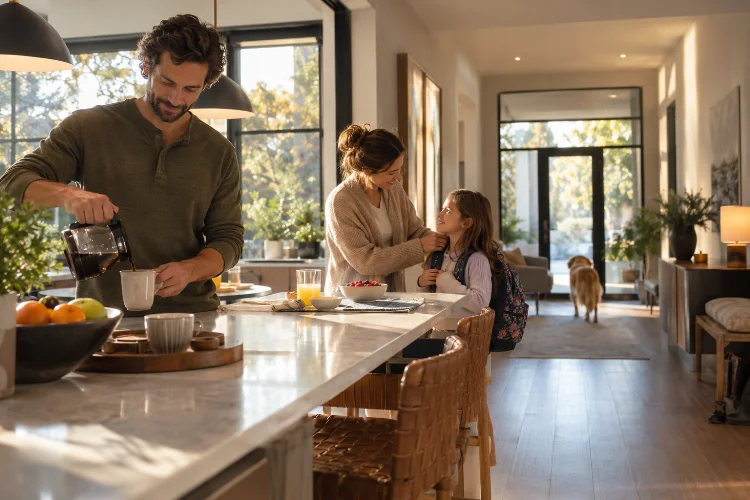
For example, a family may discover that everyone gathers in the kitchen between 6:30 and 7:30 each morning. That creates a natural opportunity to coordinate lighting, temperature, blinds, and perhaps music around one routine rather than automating each device separately.
CEDIA recommends building scenes and schedules around lifestyle rather than treating individual smart products as isolated gadgets.
The objective is not documenting every minute of the day. Look for repeated actions that create friction, wasted energy, or unnecessary manual control.
Build Automations Around Triggers, Conditions, and Actions
Most useful smart-home routines can be understood through three simple ideas: something happens, the system checks the situation, and then it responds.
The trigger might be motion, a door opening, a certain time, someone arriving home, or a button being pressed.
Conditions make the automation smarter.
A hallway motion sensor should not necessarily turn the lights on at full brightness every time someone walks past. The system could check whether it is after sunset and then choose a softer lighting level late at night.
The action is what happens next: lights turn on, blinds close, heating changes, or a notification is sent.
This structure helps prevent unnecessarily complicated automation.
A routine should solve a recognisable household problem. If you cannot explain its purpose in one sentence, it may already be more complicated than it needs to be.
Use Presence Instead of Relying Only on Schedules
Fixed schedules work well for predictable routines, but households are rarely perfectly predictable.
Someone comes home early. A child stays home sick. Weekend mornings start later. A family leaves for vacation.
Presence sensing can make automation more responsive to these changes.
Google Home, for example, supports Home and Away automations that can use phone location and eligible device sensors to determine whether people are present.
An Away routine might switch off unnecessary lights and reduce heating or cooling once everyone has left. When someone returns, selected systems can return to occupied settings.
However, presence automation should not blindly control safety-critical functions. Google specifically warns that convenience automations may depend on internet, Wi-Fi, and third-party service availability and should not be treated as guaranteed safety systems.
Use presence where failure would be inconvenient, not dangerous.
Design a Realistic Morning Routine
Morning automation is a good example of designing around behavior instead of technology.
Rather than switching every light on at exactly 6:00 a.m., think about the actual sequence.
Bedroom lighting might gradually increase first. A few minutes later, kitchen and hallway lights can activate. The thermostat could have already adjusted the temperature before anyone gets out of bed.
If motorized blinds are installed, they might open after sunrise rather than following the same clock time throughout the year.
CEDIA highlights lighting, thermostat adjustments, voice information, and presence detection as common elements of morning routines.
The routine should also be easy to override.
Not every Tuesday looks identical. Someone may want to sleep longer, work from home, or leave unusually early.
Good automation supports routine without turning it into a rule.
Make Leaving Home Almost Effortless
Leaving home often involves several repeated questions.
Did anyone leave the lights on? Is the heating still running? Is the front door locked? Did someone leave an appliance running?
A well-designed departure routine can reduce that mental checklist.
One button near the exit could switch off selected lights, change the thermostat, close compatible blinds, and activate an Away scene. Presence detection might perform some of these actions automatically once the house is empty.
Energy management becomes particularly useful here.
ENERGY STAR notes that smart thermostats can automatically reduce heating and cooling when those services are not needed, helping avoid unnecessary energy use when residents are away.
Do not automate every appliance simply because it is technically possible.
Some devices should remain independent, and essential systems may need carefully defined operating rules.
The goal is reducing repetitive tasks, not creating a giant chain of occassionally unreliable commands.
Build Evening Scenes Around Activities
Evening routines are usually more complex because households may be doing several things at once.
Someone cooks while another person watches television. Children might do homework at the dining table. Later, the same room becomes a place to relax.
Instead of one universal “evening” scene, create activity-based options.
A Cooking scene could brighten task lighting while keeping surrounding spaces softer. A Movie scene might dim selected lights and close blinds. A Dinner scene could emphasize the dining area while reducing unnecessary kitchen lighting.
This is where whole-home integration becomes much more useful than isolated devices.
CEDIA notes that scenes can coordinate lighting, temperature, security, and entertainment through a unified system rather than requiring separate controls for every product.
Scenes should remain understandable enough that every household member knows what they do.
If people stop using an automation because nobody remembers its purpose, simplify it.
Let Energy Automation Follow Real Behavior
Energy-saving automation works best when it follows actual occupancy.
Heating an empty room makes little sense. Neither does keeping every light on because someone is still awake in one corner of the house.
Occupancy sensors, schedules, thermostats, smart plugs, and lighting controls can work together to reduce unnecessary consumption.
ENERGY STAR recommends smart thermostat features that adjust heating and cooling when household demand changes.
However, energy efficiency should not come at the expense of comfort.
A system that constantly turns lights off while someone is sitting quietly will quickly become annoying. Similarly, aggressively changing temperature settings can make residents override the automation entirely.
Test routines under real conditions and adjust them gradually.
Successful automation usually feels subtle rather than aggressive.
Keep Physical Controls and Manual Overrides
A house should continue working even when someone does not have the correct phone app.
Physical switches, buttons, thermostats, and keypads remain extremely valuable.
Visitors should be able to turn on a light without receiving a tutorial. Children or older relatives should not need an account simply to operate essential household functions.
Manual controls also provide resilience.
Smart-home systems depend on networks, controllers, software, and sometimes cloud services. A realiable design considers what happens when one part of that chain is unavailable.
Keep important functions understandable and accessible.
Automation should sit on top of normal household operation rather than completely replacing it.
Choose Technology That Can Grow With the Routine
Household routines change.
Children get older, people change jobs, rooms gain new purposes, and devices are replaced. Smart-home infrastructure should be able to adapt.
Matter is designed to improve interoperability between compatible smart-home products from multiple manufacturers and ecosystems.
Thread can provide low-power mesh networking for compatible sensors, locks, and other connected devices. Thread Group describes the technology as scalable, self-healing, and designed for reliable communication across smart homes.
Standards do not eliminate the need for planning, but they can reduce unnecessary ecosystem lock-in.
Choose technology based on what the household needs rather than buying devices simply because they are new.
Good compatability and a stable network will usually matter more than collecting dozens of features that rarely get used.
Protect Privacy as Automation Becomes More Personal
Routine-based automation often relies on personal information.
Presence systems may use location. Motion sensors reveal activity patterns. Cameras can identify when people arrive or leave.
That makes privacy and cybersecurity part of system design.
NIST’s consumer IoT guidance outlines cybersecurity capabilities intended for connected products used in homes and personal environments.
Use strong credentials, keep devices updated, review account permissions, and think carefully about which products genuinely need cameras, microphones, location information, or cloud access.
Collecting more data does not automatically create better automation.
Often, a simple door sensor or motion detector can provide the information a routine needs without creating additional privacy concerns.
Designing smart home systems around real household routines changes the focus from gadgets to everyday life.
The process begins by observing how people actually use the home, then building simple automations around meaningful triggers, conditions, and actions.
Presence sensing, activity scenes, climate control, lighting, and energy management can make daily routines smoother when they are carefully coordinated.
Just as importantly, the system should preserve manual controls, privacy, and predictable behavior when technology fails.
Before buying your next smart-home device, identify one repetitive household task that genuinely creates friction. Automate that first, test it for several weeks, and refine it based on real behavior.
A smarter home does not need to control everything. It simply needs to handle the right things at the right time.