A smart home can begin innocently enough. You install a few connected lights, add a video doorbell, buy a smart thermostat, and eventually discover that five different apps are controlling five different parts of the house.
That is convenient technology, but it is not necessarily an integrated home.
Advanced home automation planning for whole-house integration takes a different approach.
Instead of choosing individual gadgets first, it treats lighting, climate control, security, entertainment, shading, energy management, networking, and sensors as parts of one larger system.
The goal is not to automate everything just because you can. A good system should remove repetitive tasks, make controls easier to understand, and continue working reliably when dozens – or eventually hundreds – of connected devices are involved.
Modern standards such as Matter and Thread are making interoperability easier, but planning still matters. The network, cabling, controls, cybersecurity, and automation logic all need a clear structure.
Build that foundation properly, and a smart home can grow without becoming unnecessarily complicated.
Plan the Automation Architecture Before Buying Devices
The most expensive smart-home mistake can happen before anything is installed: buying products without deciding how the complete system should work.
Start with the household rather than the equipment.
Think about what should happen when someone arrives home, leaves for work, goes to bed, watches a movie, or travels for several days. These routines reveal which systems genuinely need to communicate.
CEDIA describes integrated smart homes as environments where technologies such as lighting, heating, security, and entertainment operate through a connected setup rather than isolated controls.
It also emphasizes that automation through scenes and schedules is one of the major benefits of a properly designed system.
A “Goodnight” scene, for example, might turn off selected lights, lower the temperature, close motorized shades, lock exterior doors, and arm appropriate security sensors.
That is much more useful than opening five applications every night.
Build the Network as Core Home Infrastructure
A sophisticated smart home is only as dependable as the network underneath it.
Streaming televisions, cameras, speakers, phones, laptops, sensors, thermostats, appliances, and controllers can create a surprisingly busy digital environment. Treating the router as an afterthought can therefore create problems later.
Plan network coverage before finalizing device locations.
Larger houses may benefit from multiple properly positioned access points with wired backhaul rather than relying on a single wireless router hidden inside a cabinet.
Ethernet is also worth installing for fixed equipment where practical, especially televisions, control processors, cameras, access points, and other high-bandwidth devices.
CEDIA specifically identifies a reliable network and compatible equipment as foundations of a well-planned smart home.
Network security deserves equal attention. NIST notes that consumer routers have become increasingly important to security as homes contain more IoT products and remote-work devices.
Think of networking as plumbing for connected technology: you usually notice it only when something stops working.
Design Around Matter, Thread, Wi-Fi, and Wired Connections
Modern whole-house automation can involve several communication technologies, and they do not all serve the same purpose.
Matter is an IP-based interoperability standard intended to help compatible devices work across different smart-home ecosystems. Matter can operate over technologies including Wi-Fi and Thread, while Bluetooth Low Energy is also used during commissioning.
The standard continues to evolve. Matter 1.6, released in June 2026, introduced improvements around device setup, multi-ecosystem management, contextual control, and communication of device capabilities.
Thread serves a different role. It is a low-power IPv6 mesh technology designed specifically for connected devices. Thread Group describes the network as self-healing and designed without a single point of failure, making it particularly useful for sensors, locks, and other low-power devices.
Do not assume one protocol should handle everything.
High-resolution cameras may need Wi-Fi or Ethernet, while low-power sensors may suit Thread. Permanent infrastructure such as access points can benefit greatly from wired connections.
A mixed architecture is often more realiable than forcing every device onto one technology.
Integrate Lighting, Climate, Security, and Shading
Whole-house integration becomes valuable when separate systems start responding to the same context.
Lighting is a good starting point because it affects almost every room.
Instead of individually controlling twenty fixtures, create scenes around activities. “Entertain” might brighten kitchen task lighting, soften living-room lamps, and illuminate outdoor pathways. “Away” could turn most interior lights off while maintaining selected security lighting.
Climate automation can respond to occupancy, schedules, outdoor conditions, or whether doors and windows are open.
Motorized shades add another layer. Depending on the home’s design, they can manage glare, privacy, daylight, and solar heat while coordinating with artificial lighting and HVAC operation.
Security should also communicate with the rest of the system where appropriate. An alarm event might turn certain lights on, while an “Away” mode could change climate settings and confirm that doors are locked.
The objective is coordiantion, not automation for its own sake.
Create Scenes Around People Rather Than Technology
The most successful smart-home interface is often the one requiring the fewest decisions.
Nobody should need to remember which device belongs to which platform simply to relax in the evening.
Instead, automation should be organized around understandable activities.
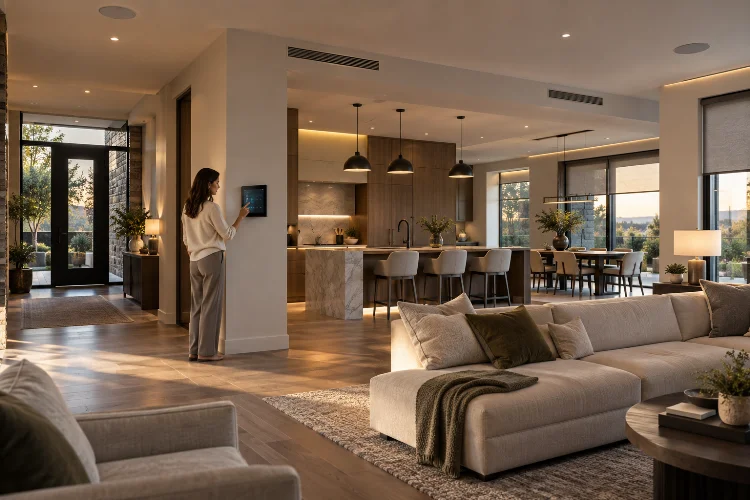
Think about commands such as Morning, Cooking, Movie, Dinner, Away, Vacation, and Goodnight. Each scene can coordinate several systems behind the scenes while presenting the household with one simple action.
Physical controls still matter.
Wall keypads, switches, thermostats, and other familiar controls should remain intuitive even for guests who do not have the home’s apps. Voice commands and phones are useful additions, but they should not be the only practical way to operate important functions.
Good automation quietly reduces friction.
Poor automation makes someone explain to every visitor why the normal-looking light switch does not work.
Plan Security and Privacy From the Beginning
Every connected device adds another component that needs to be managed.
NIST’s consumer IoT cybersecurity guidance identifies security capabilities that should be considered across consumer connected products, including their broader supporting systems rather than treating the device as an isolated object.
For homeowners, that translates into practical planning.
Use unique credentials, enable supported multifactor authentication, apply firmware updates, review device permissions, and avoid keeping unsupported connected products indefinitely.
Network segmentation may also help separate certain IoT equipment from computers or other sensitive devices when the network architecture supports it.
Camera and microphone placement deserves special consideration.
A camera at an exterior entrance may be useful for security, while installing one inside a private bedroom creates very different privacy implications.
Cloud dependence matters too. When selecting important devices, understand which functions continue working locally if internet access disappears.
Security cannot simply be added at the end of the project as a seperate feature. It is part of system design.
Prepare Infrastructure for Technology You Do Not Own Yet
A whole-house system should not be designed only around today’s device list.
Technology changes too quickly.
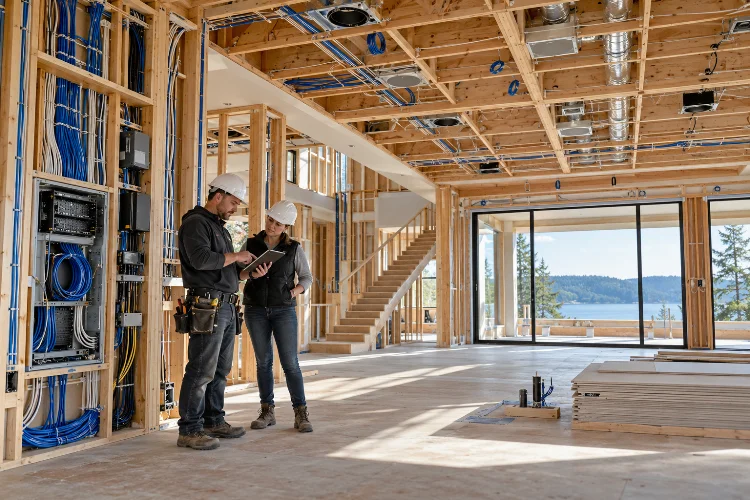
During a renovation or new build, consider installing extra Ethernet cable, conduit, electrical capacity, equipment-space ventilation, accessible junction boxes, and power at locations that may eventually support cameras, access points, shades, speakers, sensors, displays, or energy equipment.
Running an unused cable during construction is often easier than opening a finished wall several years later.
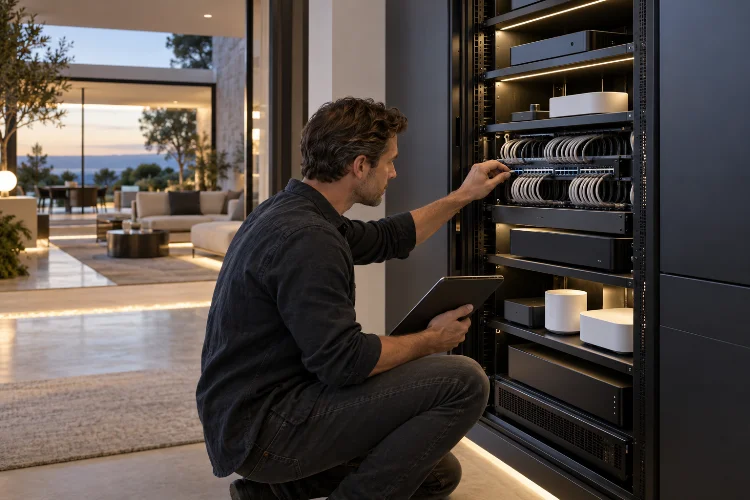
Also leave physical room in equipment racks and electrical panels where possible.
Smart energy management is becoming increasingly relevant as homes add solar systems, battery storage, heat pumps, EV charging, and connected appliances. Matter itself has expanded support for energy reporting and management over successive releases.
Future-ready infrastructure does not mean predicting every new gadget.
It means avoiding decisions that make future upgrades unnecessarily difficult.
Design Automations With Manual Overrides and Failure States
Automation should make a house easier to live in, including when something fails.
Ask what happens if the internet connection disappears. Can important lights still be controlled? Does heating continue operating? Can doors still be unlocked normally?
Critical household functions should have sensible fallback behavior.
A motorized shade, automated gate, or connected lock may also need a practical manual option depending on its function and installation.
Avoid creating huge chains where one minor sensor failure prevents an entire routine from working.
For example, instead of making every evening function dependent on one motion sensor, combine schedules, occupancy information, manual controls, and straightforward override options where appropriate.
The smartest system is not necessarily the one with the most complicated rules.
It is the one whose behavour remains predictable.
Plan Long-Term Maintenance
Installation is only the beginning.
Connected homes eventually need firmware updates, battery replacements, device changes, password management, network upgrades, and troubleshooting.
Document the system.
Keep a record of device names, rooms, network equipment, installed cables, automation scenes, controllers, and important configuration details. Clearly labeling Ethernet runs and equipment can save considerable frustration years later.
Avoid unnecessary complexity as the house grows.
Before adding another smart device, ask whether it adds a genuinely useful capability or simply duplicates something already installed.
Standards such as Matter are improving cross-platform compatability, but interoperability does not eliminate the need for thoughtful system organization.
A smart home should become easier to manage as automation improves – not turn into a permanent technology project.
Advanced home automation planning for whole-house integration begins long before someone installs the first smart switch.
A reliable system needs a strong network, appropriate communication technologies, coordinated lighting and climate control, carefully planned security, intuitive scenes, manual fallbacks, and infrastructure that can support future devices.
Standards such as Matter and Thread can make interoperability easier, but good planning remains the foundation.
Start by mapping household routines rather than creating a shopping list of gadgets. Decide which technologies genuinely need to communicate, then design the network and control architecture around those needs.
If you are renovating or building, plan cabling, power, networking, and equipment locations early. The best smart home is not the one with the most devices – it is the one that makes everyday life noticeably simpler.